Free Word to Markdown converter
Drop a DOCX and get clean Markdown back — headings, lists, tables, bold and links all intact, converted in your browser. The lean .md pastes straight into ChatGPT or Claude at a fraction of the tokens.
Drop a Word document to convert
click to browse, or paste a screenshot with Ctrl+V
How to convert a Word document to Markdown
- Drop your .docx into the box above (or click to browse). The document is parsed by JavaScript on your own device and never uploaded anywhere.
- The document's own structure is read — not guessed. Word files record what is a heading, a list or a table, and the converter uses exactly that.
- Download the .md or copy the Markdown into your AI chat. The result card shows tokens before and after, so the saving is visible on every file.
What the converter does with your document
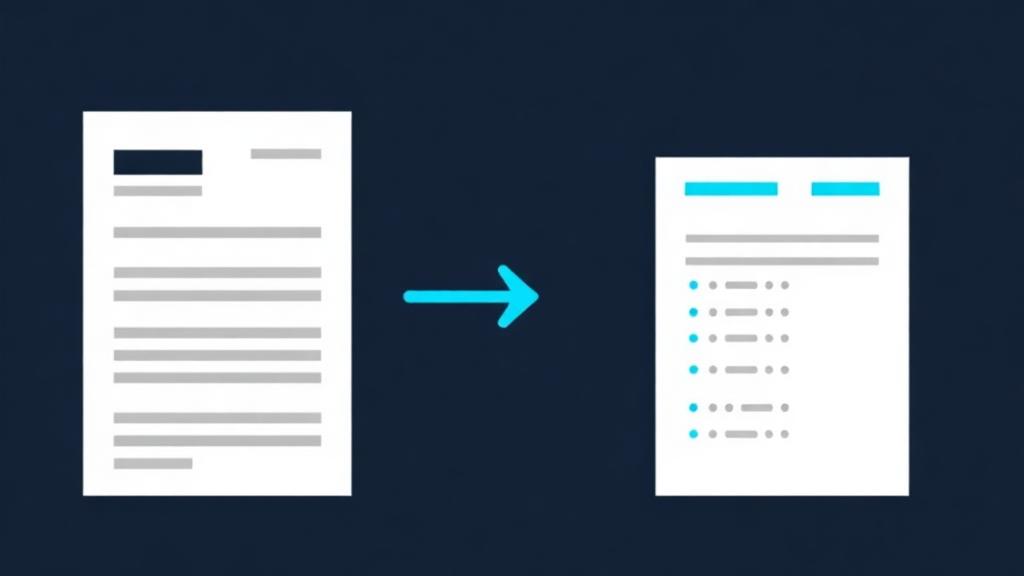
Word is the friendliest format on this site, and it's worth understanding why: unlike a PDF, a .docx file remembers its own structure. When you style a line as "Heading 1", that fact is stored in the file — so conversion is a faithful translation, not a reconstruction:
- Word heading styles become Markdown headings — Heading 1 turns into
#, Heading 2 into##, and so on down the document's own outline. - Bulleted and numbered lists survive as lists, including the numbering, so procedures and checklists stay step-by-step.
- Tables become Markdown tables with a header row — read from the document's real table structure, not inferred from spacing.
- Bold, italic, links and blockquotes carry over as **bold**, *italic*, [links](…) and > quotes, so emphasis an author chose is still visible to the AI.
A real example
This is actual output from this converter. The input was a small Word document with a Heading 1 title, a paragraph containing a bold phrase, a Heading 2 and a bulleted list:
# Project Update

The launch is **on schedule** for the third week of March.

## Next steps

- Finish the security review
- Ship the beta to ten customers
Every piece of structure the author put in came out the other side: the outline as#headings, the emphasis as bold, the list as a list — in a file a fraction of the original's size.
The fine print
Old binary .doc files convert as plain text. The pre-2007 .doc format doesn't store structure the way .docx does, so those files go through best-effort text extraction — the words arrive, the headings don't. If you have the original, re-save it as .docx in Word (File → Save As) and convert that instead.
RTF and OpenDocument (.odt) are supported too with their own parsers — good structure for .odt, simpler text for .rtf.
Pictures inside the document aren't extracted. Markdown is text; an embedded chart or photo is reduced to its caption or alt text if it has one. If an image carries essential content, convert it separately — the image converter reads text out of pictures with OCR.
Password-protected documents can't be opened in the browser. Remove the protection first, then convert.
Unstyled documents convert flat. If the author made headings by just typing bigger bold text instead of using Word's heading styles, the file itself contains no outline — and the Markdown will faithfully reflect that. The converter translates what the document really says.
Word conversion questions
Is this Word to Markdown converter free?
▼
Yes — free, unlimited, no account. Conversion runs in your browser rather than on a server, so there's nothing for us to meter.
Is my document uploaded anywhere?
▼
No. The .docx is parsed by JavaScript on your own device. That matters for Word files in particular, since they're so often contracts, reports and internal documents you wouldn't hand to a random website.
Do headings and the document outline survive?
▼
Yes — this is the format where they survive best. Word stores heading levels explicitly, and each one maps straight to the equivalent Markdown heading, so the AI sees the same outline the author wrote.
What about DOC, RTF and ODT files?
▼
All three convert. Modern .docx gives the best result; .odt keeps good structure; .rtf and legacy .doc arrive as clean text without the outline. For old .doc files, re-saving as .docx first gets you full structure.
Why convert Word to Markdown for ChatGPT at all?
▼
A .docx is a ZIP full of XML — most of its bulk is formatting machinery, not your words. Markdown keeps the words and the structure and drops the machinery, so the same document costs far fewer tokens and leaves more room in the context window for the actual conversation.
Can I convert several Word files at once?
▼
Drop up to ten at a time here — or zip a whole folder of them and use the ZIP converter, which turns the lot into one Markdown document with a section per file.
PDF to Markdown
For documents that only exist as PDF — structure is reconstructed from the layout instead of read from styles.
Convert a PDF →ZIP to Markdown
A folder of Word files? Zip it and get one Markdown document back, a section per file.
Convert a ZIP →