Free PDF to Markdown converter
Drop a PDF, get clean Markdown — right here in your browser. Nothing uploads, nothing is metered, and the .md that comes out costs a fraction of the tokens in ChatGPT or Claude.
Drop a PDF to convert
click to browse, or paste a screenshot with Ctrl+V
How to convert a PDF to Markdown
- Drop your PDF into the box above (or click to browse). The file is read by JavaScript on your own device — it never leaves your computer.
- Press Convert and wait a few seconds while the pages are parsed. A progress bar tracks each page; long documents simply take a little longer.
- Download the .md file or copy the Markdown straight into your AI chat. The result card shows the token count before and after, so you can see what the conversion saved.
What the converter does with your PDF
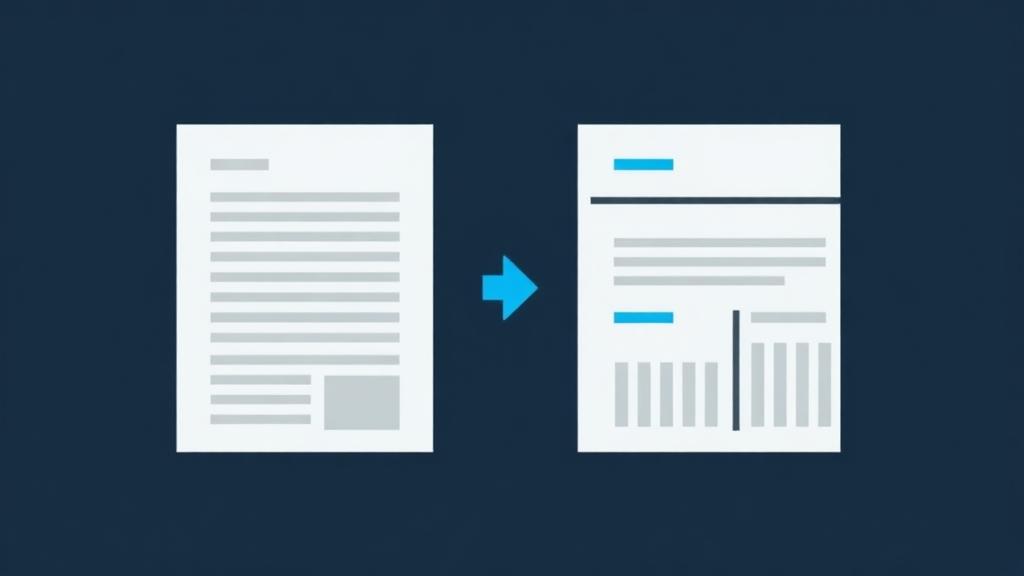
A PDF has no real structure inside — no "this is a heading", no "this is a table". It is a set of drawing instructions: put this text, at this size, at these coordinates. Converting one to Markdown means reconstructing the structure a human sees, and that is what this converter does, page by page:
- Headings are detected from font size. A short line set noticeably larger than the page's body text becomes a Markdown heading — the bigger the jump in size, the higher the heading level.
- Paragraphs are rebuilt from line positions. Lines that flow on from the previous one are joined back into a single paragraph, so you get real prose instead of one fragment per printed line.
- Tables are recovered from alignment: when several consecutive lines share the same column positions with clear gaps between them, they become a proper Markdown table with header and rows.
- Pages become sections, so a long document keeps its shape and an AI can reference "page 12" meaningfully.
- You can convert just the pages you need. A "PDF pages to convert" field appears when you stage a PDF — type "1-5, 12, 20-" to pull one chapter out of a 300-page manual instead of paying the tokens for all of it. The section headings keep the document's real page numbers.
A real example
An income statement is the hardest thing to ask of a converter. The figures are right-aligned, so the columns line up by their ends rather than their starts, and a converter that only looks at where text begins shatters the table into loose lines. Here is one going in, and the Markdown that came back out:
Northwind Trading Co.
Consolidated statements of operations
In thousands of US dollars.
| Line item | FY 2025 | FY 2024 | FY 2023 |
|---|---|---|---|
| Revenue | 482,190 | 413,775 | 355,010 |
| Cost of revenue | 187,540 | 166,220 | 145,880 |
| Gross profit | 294,650 | 247,555 | 209,130 |
| Research and development | 98,410 | 84,300 | 71,940 |
| Sales and marketing | 112,760 | 99,180 | 88,405 |
| General and administrative | 41,220 | 36,940 | 33,110 |
| Operating income | 42,260 | 27,135 | 15,675 |
| Interest expense | (6,480) | (7,120) | (7,890) |
| Income before income taxes | 35,780 | 20,015 | 7,785 |
| Provision for income taxes | 8,945 | 5,004 | 1,947 |
| Net income | 26,835 | 15,011 | 5,838 |
## Page 1

### Northwind Trading Co.

#### Consolidated statements of operations

In thousands of US dollars.

| Line item | FY 2025 | FY 2024 | FY 2023 |
| --- | --- | --- | --- |
| Revenue | 482,190 | 413,775 | 355,010 |
| Cost of revenue | 187,540 | 166,220 | 145,880 |
| Gross profit | 294,650 | 247,555 | 209,130 |
| Research and development | 98,410 | 84,300 | 71,940 |
| Sales and marketing | 112,760 | 99,180 | 88,405 |
| General and administrative | 41,220 | 36,940 | 33,110 |
| Operating income | 42,260 | 27,135 | 15,675 |
| Interest expense | (6,480) | (7,120) | (7,890) |
| Income before income taxes | 35,780 | 20,015 | 7,785 |
| Provision for income taxes | 8,945 | 5,004 | 1,947 |
| Net income | 26,835 | 15,011 | 5,838 |
The 20pt company name became a heading and the statement title the level below it. Every figure landed in the right column, negatives kept their brackets, and the totals still foot — so an AI can be asked what happened to operating income and read the answer off the row, instead of squinting at a picture of a table.
What PDFs are hard, and what to do about them
Scanned PDFs come out empty. A scan is a photograph of a page — there is no text layer to extract. This page's converter reads text layers only; it does not run character recognition on PDF pages. If your PDF is a scan, export the pages as images (PNG or JPG) and drop those into the converter instead — image files do go through built-in OCR.
Password-protected PDFs can't be read. Browser-side parsing cannot open an encrypted document. Unlock the file first, then convert.
Complex layouts are heuristic territory. Multi-column magazine layouts, text wrapped around images, and mathematical notation are reconstructed on a best-effort basis — reading order is usually right, but check it before you rely on it. Simple reports, papers, contracts and documentation convert cleanly; heavily designed pages may need a quick tidy-up.
Decorated tables can fool the detector. Table recovery depends on columns lining up. Merged cells, spanning headers, or tables drawn with backgrounds rather than aligned text can come out as plain lines instead of a Markdown grid. The text is still all there — it just may need the pipes added by hand.
Why bother? Because PDFs are the most expensive thing you can show an AI
AI chats process PDF pages as images as well as text so they can read charts and layout. By Anthropic's own documentation that makes a 3-page PDF cost roughly 7,000 tokens, versus about 1,000 for the same content as plain text — a 7× difference that comes out of your context window and your usage limits. The full explanation is on the home page.
PDF conversion questions
Is this PDF to Markdown converter really free?
▼
Yes — free, unlimited and without an account. Conversion runs in your browser rather than on a server, so there is no per-file cost for us to pass on and no reason to meter you.
Is my PDF uploaded to a server?
▼
No. The PDF is parsed by JavaScript running on your own device. You can watch the network tab while converting: your file never leaves your machine, which also makes this safe for contracts, financials and other documents you wouldn't upload anywhere.
Can it convert a scanned PDF?
▼
Not directly — a scan has no text layer, so there is nothing to extract and the result comes out empty. Export the scanned pages as PNG or JPG images and convert those instead; images are read with built-in OCR.
How big a PDF can I convert?
▼
There is no imposed limit — the practical ceiling is your device's memory, since everything runs locally. Hundred-page documents are routine; very large files on low-memory devices may fail, in which case converting a page range helps.
Can I convert only some pages?
▼
Yes. When a PDF is staged, a "PDF pages to convert" field appears — leave it empty for the whole document, or type ranges like "1-5, 12, 20-" (20- means page 20 to the end). Only those pages are parsed, and the output's Page headings keep the document's real numbering so citations still line up.
Do tables in my PDF become Markdown tables?
▼
When the table is drawn as aligned columns of text — which covers most reports — yes, it becomes a real Markdown table with a header row. Tables with merged cells or heavy visual styling may come back as plain lines that need the pipes added manually.
Why does the Markdown say 'Page 1', 'Page 2'?
▼
Each PDF page becomes a section heading, so long documents keep their shape. It also gives the AI something to cite: ask where a claim came from and it can point at the page.
All formats
The same converter also takes Word, PowerPoint, Excel, images with OCR, EPUB, ZIP archives and code files.
Open the converter →ZIP to Markdown
Several PDFs to convert? Zip the folder and get one Markdown document back, a section per file.
Convert a ZIP →